Setting Up BorgBase with
Borg Backup Server
BorgBase provides hosted, offsite BorgBackup repositories with append-only support, monitoring, and geographic redundancy. This guide walks you through connecting a BorgBase repository to Borg Backup Server as a remote storage host.
What you'll need
- A BorgBase account (free tier available)
- A running Borg Backup Server instance
- An SSH key pair (Borg Backup Server generates one for you during setup)
Create a Repository on BorgBase
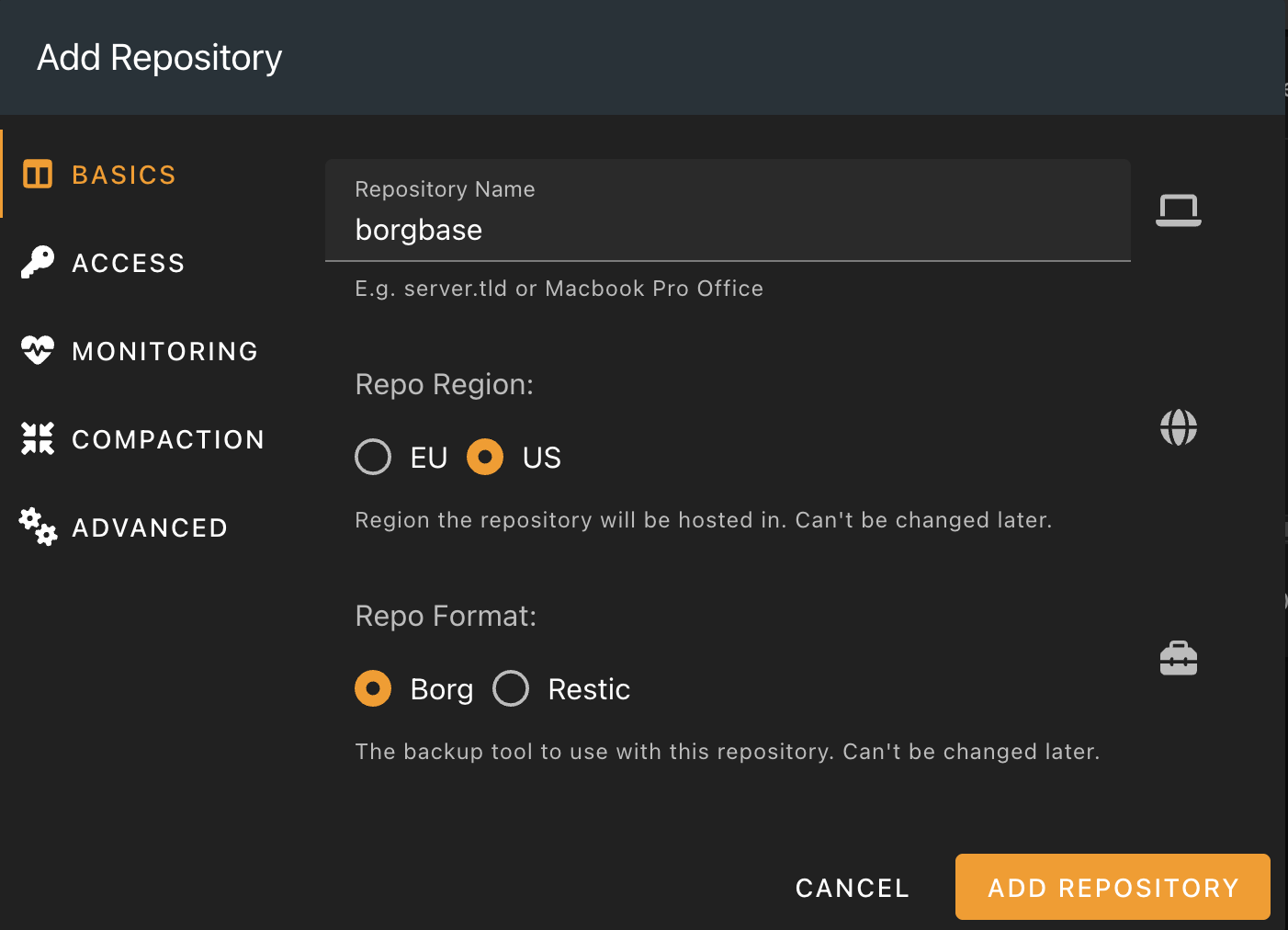
Log in to your BorgBase account and click New Repo. Give the repository a name, select your preferred region (EU or US), and make sure Borg is selected as the repo format. Click Add Repository.
Copy the Repository URL
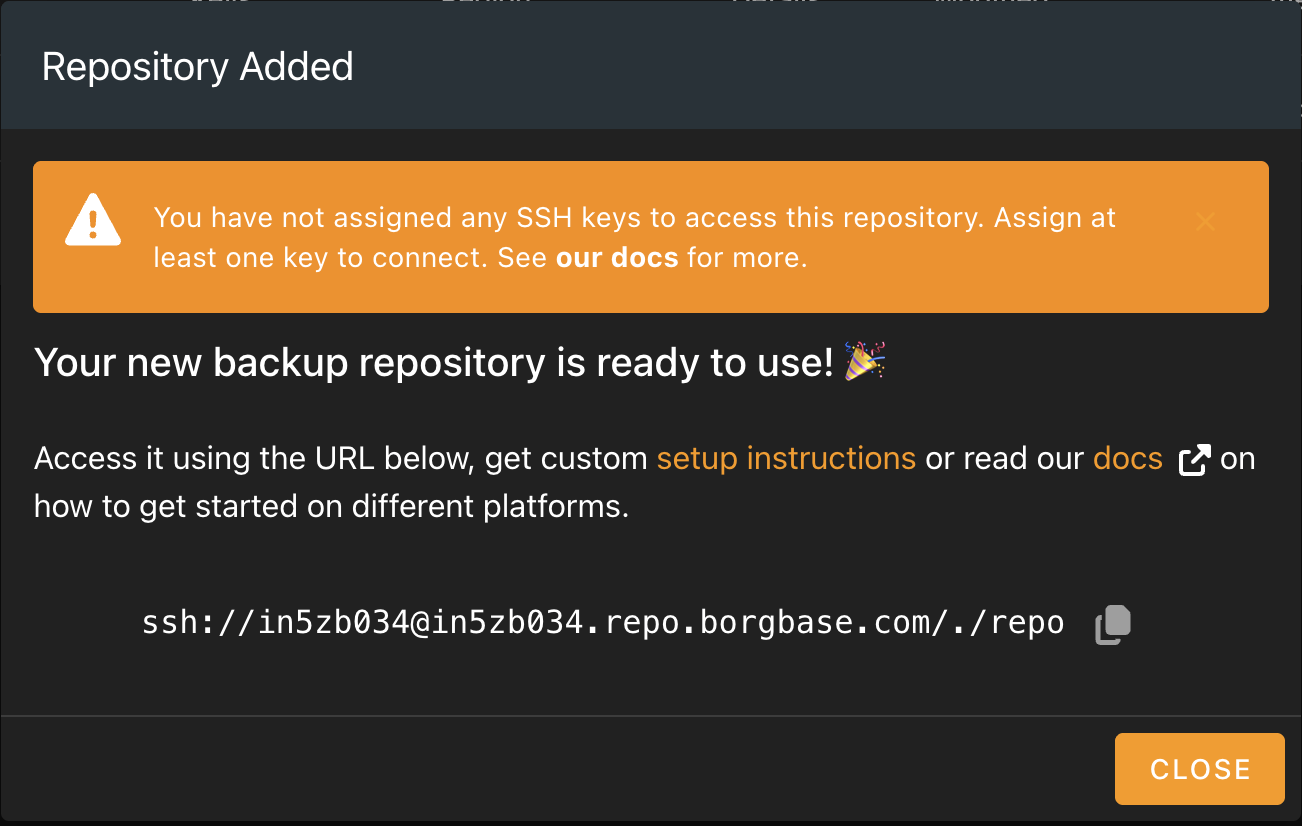
After the repository is created, BorgBase displays the SSH connection string. Copy the URL provided in your account — you'll paste it into Borg Backup Server in a later step. It looks something like this:
ssh://xxxxx@xxxxx.repo.borgbase.com/./repo
Configure SSH Key Access
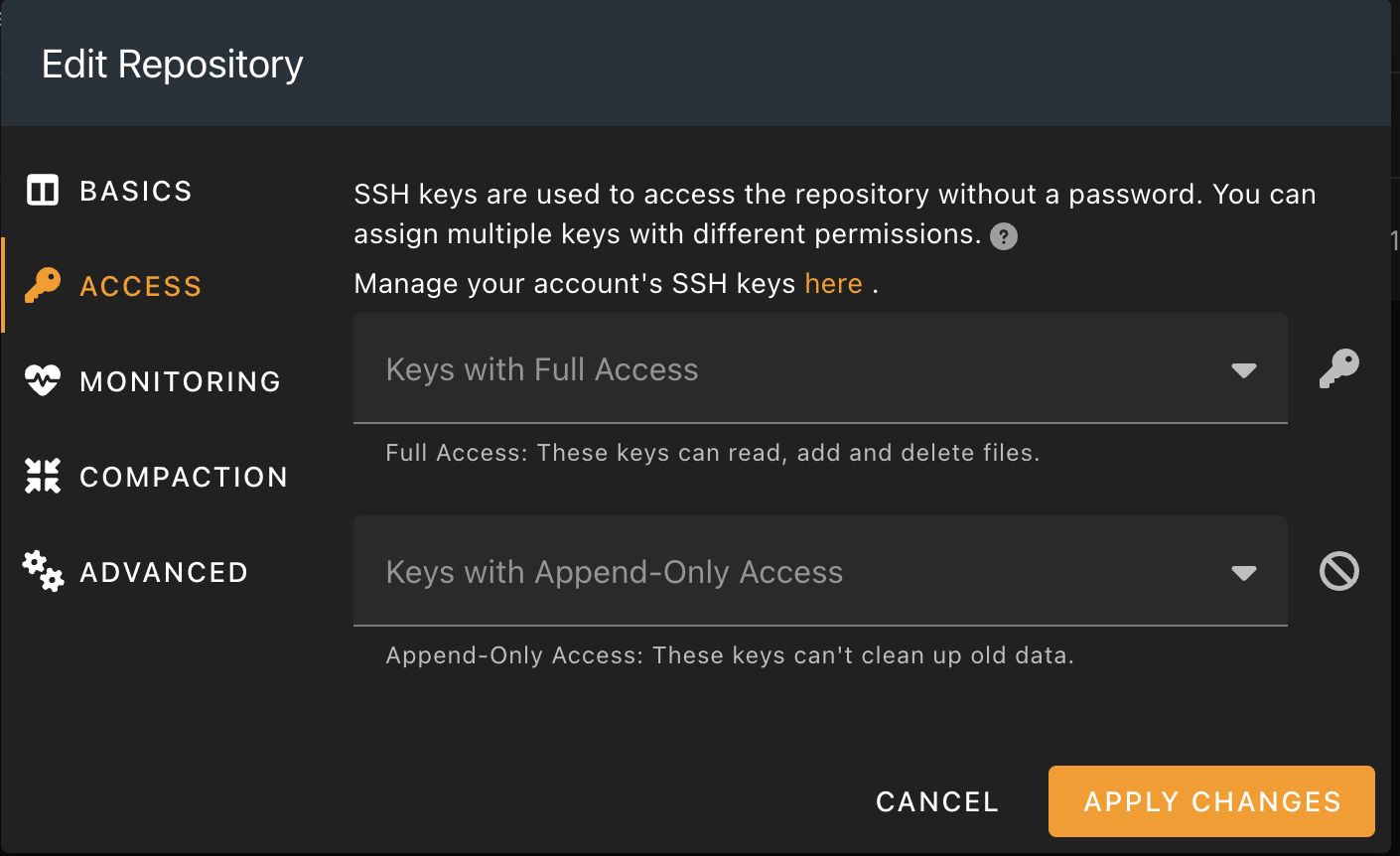
Edit the repository and navigate to the Access tab. BorgBase supports two access levels:
- Full Access — keys can read, add, and delete files
- Append-Only Access — keys cannot delete or modify existing backups
You'll add the SSH public key generated by Borg Backup Server to one of these access lists. For maximum security, use Append-Only Access so that even if a client is compromised, existing backups remain safe.
Add BorgBase in Borg Backup Server
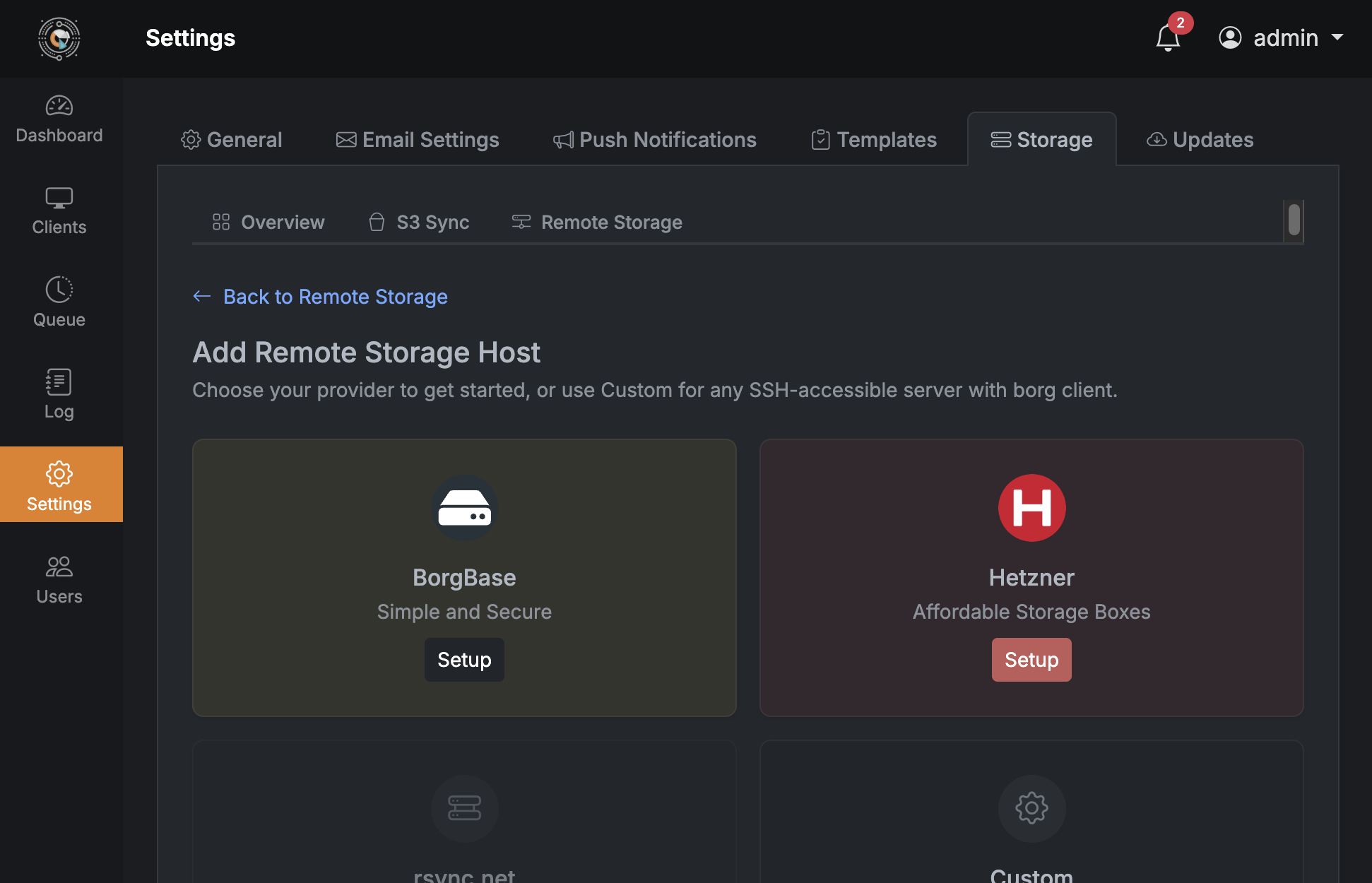
In your Borg Backup Server dashboard, go to Settings → Storage → Remote Storage and click Add Remote Storage Host. Select BorgBase from the provider list.
Paste Connection String & Test
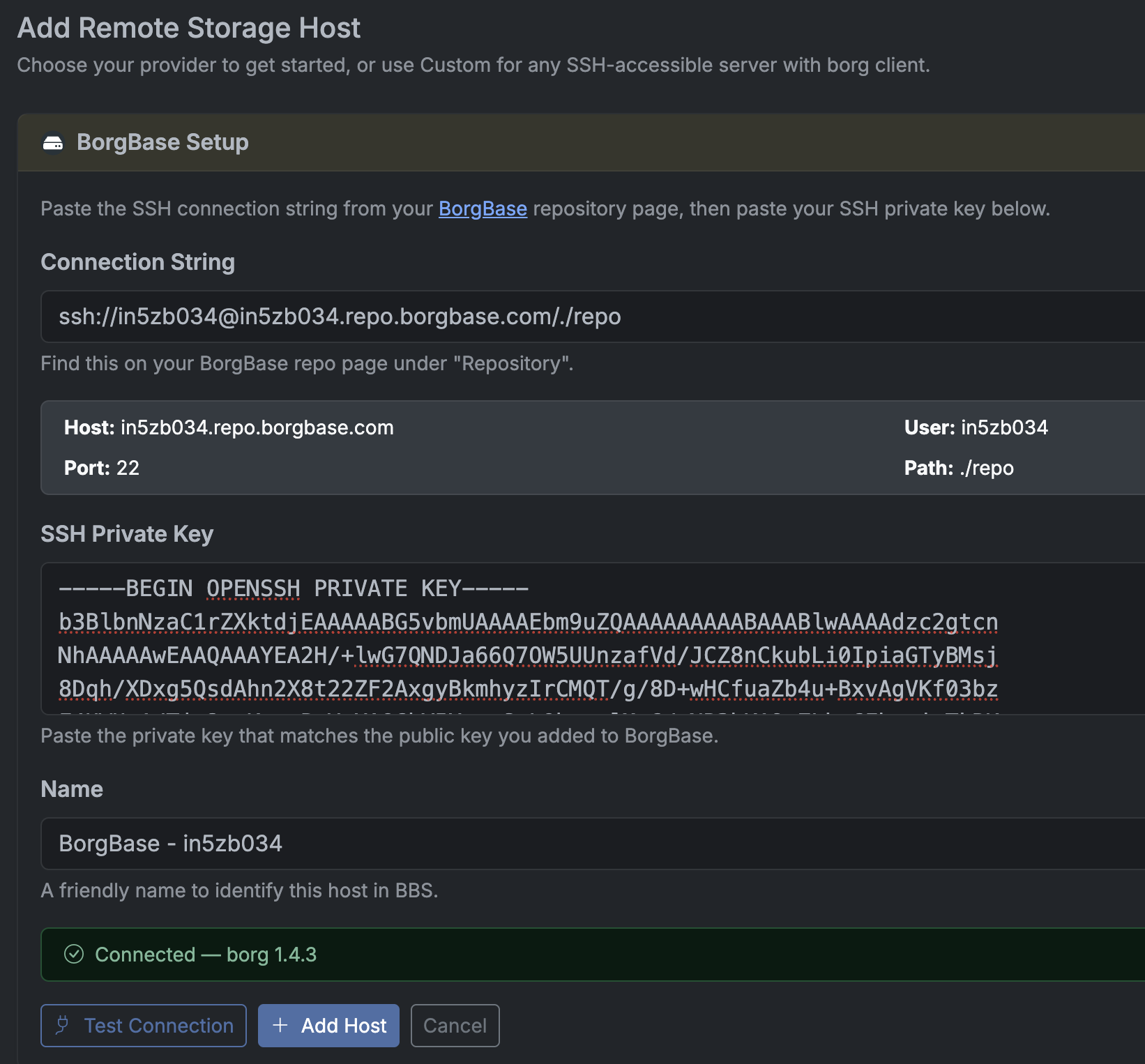
Paste the SSH connection string you copied from BorgBase. Borg Backup Server automatically parses the host, user, port, and path. Paste the SSH private key that matches the public key you added to BorgBase.
Click Test Connection to verify everything works. You should see a green "Connected" status with the borg version. Then click Add Host to save the configuration.
You're all set
Your BorgBase repository is now connected as a remote storage host. You can use it when creating backup plans — Borg Backup Server will push encrypted, deduplicated backups to BorgBase over SSH.
Don't have Borg Backup Server yet?