Command your backups from anywhere.
The iOS companion to Borg Backup Server. Check on clients, run backups and restores, and get a push alert the moment a job fails.
It connects straight to your own BBS install through its API and covers most of what the web UI does, in a native app.
 Scan with
your iPhone
7-day free trial, then $3.99/month. The server stays free and open source. Android version coming early Q4 2026.
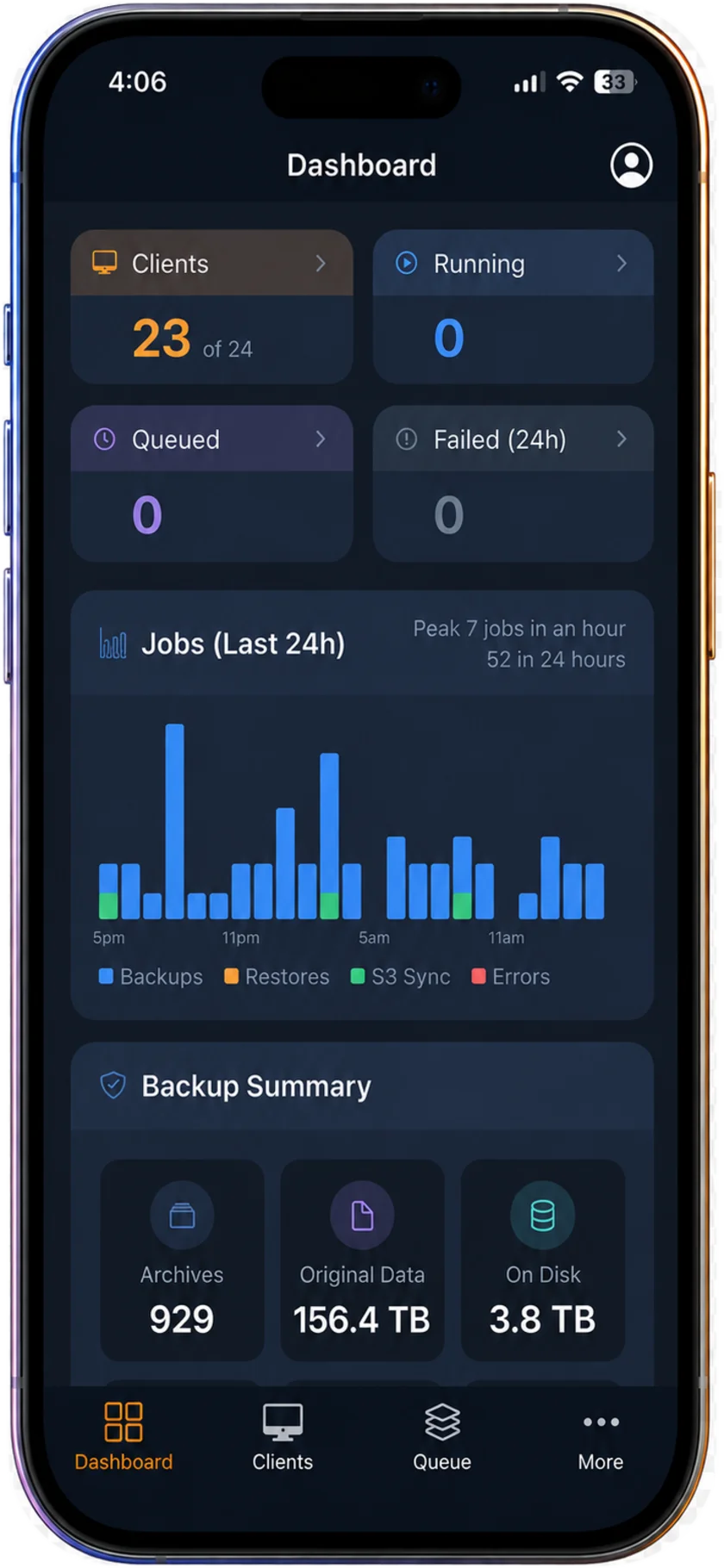

Everything you need. Right in your pocket.
Native Performance
Fast, responsive iPhone experience that talks directly to your BBS server.
Instant Push Alerts
Get real-time notifications for failures, warnings, and backup events, with deep links to act fast.
Full Mobile Control
Handle most of the same daily tasks as the web app, including monitoring clients, queues, and settings.
Restore on the Go
Launch backups, trigger updates, and restore files or databases in seconds from your phone.
An optional add-on to a free server.
Borg Backup Server stays free and open source. BBS Manager adds mobile access and push alerts on top of it.
Borg Backup Server
Self-hosted web UIMIT licensed. Required: the app connects to your own BBS install.
- Every web UI feature, no paid edition
- Apprise alerts to Slack, email, Telegram and more
- Mobile-friendly web interface
BBS Manager
iPhone & iPad app7-day free trial. Price in USD; may vary by region. Family Sharing included.
- Push alerts for failures, warnings and finished jobs
- Clients, queue and restores on your phone
- Connects directly to your own server
Frequently asked questions
Why does the iOS app cost money?
Borg Backup Server — the open-source web UI for BorgBackup — is free and always will be. The app is a different kind of project: roughly 800 hours of design, engineering, and App Store polish went into making it feel truly native — and the push-notification relay, build pipeline, and support that keep it running cost real money and real time every month. $3.99/mo keeps BBS Manager maintained, tested against every new iOS release, and improving, rather than quietly abandoned.
Don’t need the app? You can get a similar experience at no cost by combining the mobile-friendly web interface with Apprise notifications.
Can I use my subscription on multiple devices?
Yes. Your subscription is tied to your Apple Account, so an iPhone and an iPad share the same one — install it on both and sign in. We also support Family Sharing at no additional cost, so everyone in your household can use BBS Manager under a single subscription. Great for home labs with more than one person keeping an eye on things.
Will the app work if my BBS is on an internal network?
Yes. On your home or office Wi-Fi the app talks to your BBS directly. To manage it while you’re away, you’ll need a way back into that network — a VPN or something like Tailscale works great — and then everything works exactly as it does at home.
Push notifications don’t need any of that. Alerts for failures, warnings, and completed backups still arrive on your phone even when you’re not connected to your network.
How do I know if this will work for me?
That’s exactly why we give you a 7-day free trial. Connect it to your own BBS, get a few real notifications, run a restore — and make sure you’re satisfied before committing. After that it’s a simple month-to-month subscription with no contract, and you can cancel anytime from your Apple Account.
Push notifications aren’t working!
Tip: make sure the push service is enabled on your server. In BBS, go to Settings › Push Service, turn it on, and register with our push notification server. Until that’s done, your BBS has no way to reach your phone.
A note on privacy: the push notification server never stores your data. It only relays each notification to Apple’s APNs service, and then it’s gone.